Deadlines do not care about pretty mood boards. You need an icon library that reads at 12 pixels, keeps a steady rhythm across screens, and lands in your repo without ceremony. Icons8 wins time because it solves the quiet problems that usually eat an afternoon.
What to demand from a production icon library
Readability at real sizes
Open a toolbar at 24 pixels. Drop search, settings, and share from one family. Scale to 16 pixels. Counters stay open. Diagonals stay clean. The form reads in under a second. If this quick check fails, the set goes back to inspiration boards, not into a release.
Cohesion that protects hierarchy
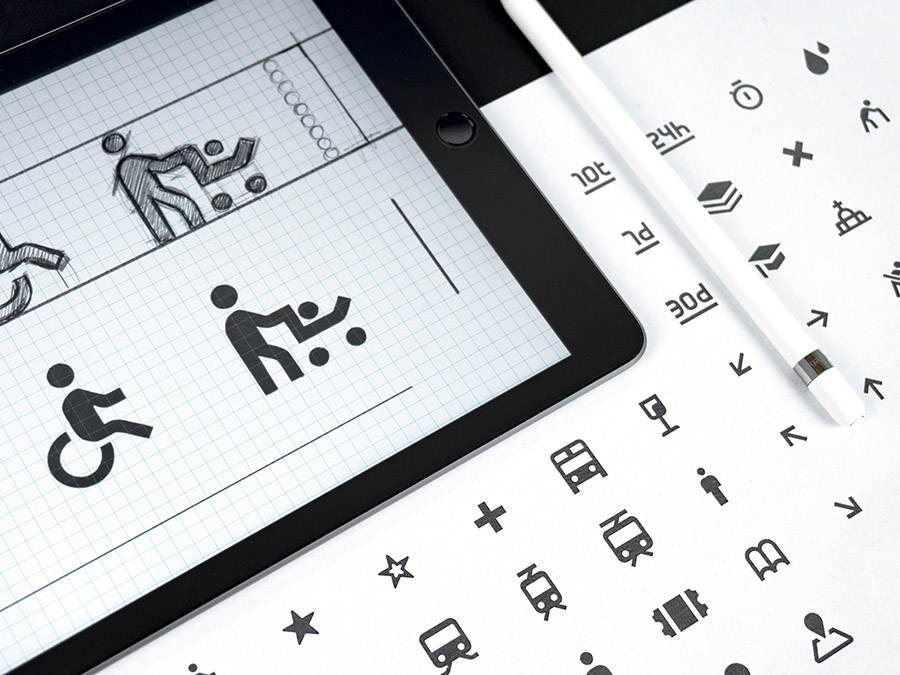
Stroke width, corner radius, and grid alignment must match across hundreds of glyphs. Icons8 families stay even, so a single swap never shouts over a heading or a primary action. One noisy outline can flatten a header. Cohesion keeps the eye moving where you want it.
Coverage that prevents late tickets
A real product needs routine metaphors and niche ones. Credit card, funnel, receipt, fingerprint, bell, barcode, folder, plus the last minute biometric or offline map. Icons8 covers both, so you skip redraws and focus on features.
Edits in the browser
Tweak the asset where you found it. Enter a brand hex. Type an exact size. Add padding when a component slot is tight. Place the icon on a circle or a rounded square if the layout wants a chip like treatment. Many outline families expose stroke weight so you can match a one pixel border or a one and a half pixel border without leaving the page.
Delivery that fits real pipelines
Use SVG for product UI. Use PNG for slides and emails. Icons8 exports both with sane defaults, so you do not guess viewBox or density. Handoff becomes simple and repeatable.
Platform fit that respects conventions
Apple surfaces
On iOS and macOS, icons sit next to San Francisco. They need the same optical weight at 16 to 24 pixels and generous counters. Icons8 outline and glyph sets stay legible in toolbars, menus, and compact sidebars.
Android and Material
Material uses a 24 pixel base grid and simple geometry. Icons8 outline and filled variants drop into lists and buttons without re authoring. You focus on state logic, not on path cleanup.
Windows and Fluent
Fluent favors soft corners and friendly forms. Rounded families from Icons8 keep that tone across menus and panels so the interface does not switch voices mid screen.
Web and marketing
Product screens want monotone outline or filled sets. Landing pages, infographics, and course slides can take colored packs. Do not mix families inside one component. One family per surface keeps noise out.
Integration paths that do not fight you
Inline SVG as the default
Inline SVG gives full control through CSS, plays well with dark themes, and removes extra network hops.
<svg class="icon" viewBox="0 0 24 24" role="img" focusable="false">
  <path d="M20 6L9 17 4 12" />
</svg>
.icon { width: 20px; height: 20px; fill: currentColor; }
Sprite when reuse is heavy
If a page repeats many glyphs, build an SVG sprite in CI and reference by symbol. One cached payload, many references, lean markup.
<svg style="display:none">
  <symbol id="i-check" viewBox="0 0 24 24">
    <path d="M20 6L9 17 4 12" />
  </symbol>
</svg>
<svg class="icon"><use href="#i-check"></use></svg>
Automate the asset flow
Use the API for naming rules, sprite generation, and scheduled refresh. Predictable responses turn asset hygiene into a quiet background step.
Performance and theming with clear tradeoffs
Monochrome sources with CSS paint
SVG compresses well and scales cleanly. Keep sources monochrome and apply color in CSS. The bundle stays small and you avoid clones for every brand shade. Icon fonts introduce rendering and accessibility issues, so skip them for product UI.
Dark theme with variables
Define an icon color token in CSS. Flip the value for dark theme and the entire surface follows. Hover and disabled states use the same map. No new files.
Accessibility that changes behavior
Labels and semantics first
Icons help when users do not need to guess. Pair icons with visible labels wherever you have space. If the label is visually hidden, use a real button with an aria label. Meaning stays intact for assistive tech and keyboard users.
Focus, direction, and contrast
Focus rings must be obvious. Mirror chevrons and arrows for right to left locales. Keep at least a three to one contrast ratio for filled icons against backgrounds, which matches WCAG version two point two for non text graphics.
When labels can drop
Search, close, and play are universal. Those can stand alone. Everything else earns a caption. Icons8 geometry stays clear at 16 to 20 pixels, so the label can be lighter without losing meaning.
Motion used as a pointer, not a toy
Timing that feels instant
Use one hundred and fifty to two hundred milliseconds for state changes. Keep loops under one second. Motion signals a change then gets out of the way.
Respect user settings
Honor reduced motion by offering a paused state. Product screens animate only on change. Marketing can use motion to pull attention while the message stays readable.
Style choices with intent
Outline, filled, glyph, and colored
Outline reads clean at small sizes and pairs with light typography. Filled carries more presence and helps with active states and high contrast themes. Monotone glyphs thrive in dense tables and toolbars. Colored sets work for headers, diagrams, and education.
The halfway test
Drop three random icons from one family into the component that will host them. Toolbar, card, or menu. If one icon shouts, the set will fight the layout. Icons8 families often pass this check, which saves time.
A fluid accent that still feels systematic
When the layout needs a soft material like highlight, anchor the cluster on liquid glass icons and add two companions. One accent color, one neutral, one state color. Keep the weights aligned so the group feels designed, not assembled.
Workflows that stay under ten minutes
Designers
Search by noun and synonym. Receipt, invoice, and bill return overlapping candidates. Lock one style family so the voice stays consistent across screens. Edit color, size, and padding in the browser. Export SVG to Figma or Sketch. Link icons to components and map tokens for icon color and accent. Document sizes for 12, 16, 20, and 24 pixels, a minimum hit area, and when labels replace icons.
Developers
Name glyphs with a short prefix and clear nouns. Generate a sprite in CI from a single folder and fail the build if any asset lacks a viewBox. Map fill to currentColor so theming stays in CSS. Flip directional icons for right to left layouts or provide mirrored variants. Snapshot test key screens to catch style drift.
Marketers and content
Release notes and how to posts often read cleaner with icons than with stock art. Colored packs scale for headers, lists, and comparison grids. If a CMS strips SVG, export PNG at the target width and at two times for high density displays. Publish a tiny style note with two sizes, two colors, and a spacing rule.
Startups and small teams
Pick a style family early and bake it into the component library. Use inline SVG with variables so theme changes do not spawn new assets. Ship a core set first. Navigation, confirmations, errors, and system states. Add domain icons as features lock in. The catalog is deep enough to grow with the product surface.
Teachers and classrooms
Set a 24 pixel grid, limit stroke weights, and keep the metaphor list short. Ask students to compare an Icons8 outline set with their sketches. Differences in negative space and stroke contrast show up fast. Outside design classes, icons make worksheets and slide decks easier to scan.
Licensing and policy you can explain in a minute
Read the license once and write the policy the team can see. Icons8 offers free options with attribution and paid plans without attribution. Define who downloads assets, where masters live, how to credit when required, and when the paid path is the default. Treat icons like any other dependency.
Common mistakes and quick fixes
- Mixing families inside one component creates noise. Pick one family per surface.
- Filled icons can sink into tinted backgrounds. Switch to outline or raise contrast until it clears three to one.
- Icon only navigation encourages guessing on desktop. Add labels or tooltips.
- Over animation steals attention. Animate state changes only and keep durations tight.
- Raster assets blur when sizes shift. Use SVG for interfaces and keep PNG for slides and emails.
Pocket reference
- UI sizes that work are 16, 20, and 24 pixels. For marketing blocks, go to 48, 64, or 96.
- Stroke at a 24 pixel base lands at one or one and a half pixels.
- Default to monochrome, then map semantic hues for states.
- Useful tokens are icon color, icon accent, and icon disabled.
- Touch targets should sit around 40 to 44 pixels.
- Mirror arrows for right to left layouts. Labels are visible or the aria label exists.
- Delivery uses inline SVG or a sprite. Icon fonts stay out of the stack.
Why Icons8 fits teams that measure velocity
The payoff is speed with guardrails. A broad, coherent catalog. An editor in the browser that handles last mile tweaks. Export formats that click into modern build systems. You spend time on meaning, not on babysitting assets. The product reads like one thing instead of a pile of prototypes taped together.